Feature Keynote Template: A Complete Presentation Solution
Creating a polished, professional presentation often feels like a daunting task. You have ideas to share, but turning them into a visually compelling slide deck takes time, design skill, and a keen eye for detail. The Feature Keynote Template aims to remove that barrier. It is a ready-made presentation package built for Apple Keynote, offering 150 total slides spread across five distinct color variations. Instead of starting from a blank canvas, you get a complete framework that handles the layout, typography, and visual hierarchy, so you can focus on your message.
This template is designed for anyone who needs to communicate clearly and confidently. Whether you are a freelancer pitching a new project, an educator explaining a complex topic, or a small business owner presenting quarterly results, having a cohesive set of slides saves hours of work. The package includes five separate PPTX files, each with a unique color scheme, giving you thirty slides per variation. That means you can choose the palette that best fits your brand, topic, or personal style without having to manually adjust colors across every slide.
What Makes the Feature Keynote Template Stand Out
At its core, this template is about efficiency and consistency. The 150 slides are not just empty placeholders; they are thoughtfully structured with handcrafted infographics, section break slides, gallery layouts, and portfolio pages. Each element is built to be resizable and editable, so you can adapt it to your specific content. The inclusion of pixel-perfect illustrations means every graphic maintains sharpness and clarity, whether viewed on a laptop, tablet, or large presentation screen.
One of the standout features is the use of master slides. Instead of manually adjusting each slide, you can make global changes to fonts, colors, and backgrounds that automatically update across the entire deck. This is particularly useful when you need to maintain brand consistency or when you are working with a team. The picture placeholders are designed for simple drag-and-drop functionality. You can insert your own images without worrying about cropping or alignment, as the template automatically adjusts the layout to accommodate your visuals.
For those who appreciate variety, the five premade color options are a significant advantage. Each set of thirty slides follows the same structure but uses a different color palette. This allows you to switch between warm, cool, neutral, or bold tones depending on the mood or audience. If you are presenting to a creative agency, a vibrant palette might be appropriate. For a corporate boardroom, a more subdued scheme could work better. The flexibility is there without requiring you to rebuild anything from scratch.
Practical Use Cases for Different Audiences
The beauty of a template like this is its versatility. Consider a marketing professional preparing a campaign proposal. They can use the portfolio slides to showcase past work, the infographic slides to present data and metrics, and the section break slides to clearly delineate different parts of the presentation. The result is a cohesive narrative that flows logically from introduction to conclusion.
A blogger or content creator launching an online course could use the template to build a series of video lecture slides. The consistent visual style helps learners follow along, and the editable graphics allow for custom diagrams or illustrations. Similarly, an entrepreneur pitching to investors can rely on the clean, modern layouts to convey professionalism and attention to detail. The template eliminates the distraction of inconsistent formatting, allowing the content to shine.
Educators and trainers can also benefit. Whether you are preparing a workshop, a seminar, or a classroom lecture, the slide library provides a structure that supports both text-heavy and visual-heavy content. The infographic elements are especially useful for breaking down complex processes, timelines, or comparisons. Instead of spending hours designing charts from scratch, you can simply edit the existing infographics to match your data.
Freelancers and hobbyists who create presentations for community events, meetups, or personal projects will find the template approachable. The learning curve is minimal because everything is built on master slides and simple drag-and-drop interactions. If you have basic familiarity with Keynote or PowerPoint, you can start customizing immediately. The included Readme file provides clear instructions on how to install fonts and get started, so there is no guesswork.
Key Features That Save Time and Improve Quality
Let us take a closer look at what is actually included in the package. You receive five PPTX files, each formatted for widescreen presentation. That is the standard 16:9 aspect ratio, which works well on modern screens, projectors, and video conferencing tools. Within each file, you get thirty slides that cover a range of layouts: title slides, content slides, quote slides, section dividers, gallery pages, portfolio showcases, and data-driven infographic pages.
The handcrafted infographics are a highlight because they are designed to be both beautiful and functional. You can customize each element by changing text, colors, and sizes. The infographics include timelines, process flows, comparison charts, and statistical visualizations. They are not static images; they are editable objects that you can adapt to your specific numbers and narratives.
The gallery and portfolio slides are perfect for visual professionals. Photographers, designers, architects, and artists can showcase their work in a clean, organized layout. The picture placeholders accept any image, and the template automatically adjusts the framing. You can also rearrange the grid or change the number of images per slide without breaking the design.
Another important detail is that the template is based on master slides, which means you can save any customizations as a new master for future use. This is a time-saving feature for anyone who creates presentations regularly. Once you set your brand fonts and colors, you can reuse that master across multiple projects, ensuring consistency without starting over each time.
What to Consider Before Using the Template
While the Feature Keynote Template is designed to be accessible, there are a few practical points to keep in mind. First, the template is provided as PPTX files, which are compatible with both Keynote and PowerPoint. If you are primarily a Keynote user, you can open the PPTX file directly and start editing. However, some advanced features like master slide editing may behave slightly differently depending on the software you use. It is a good idea to do a quick test run with one of the color variations to ensure everything works as expected in your environment.
Second, the package includes a Readme file that lists the fonts used in the template. These fonts are available as free downloads, and the link is provided. You will need to install them on your computer before editing the template, or the text may default to a different font. This is a simple step but easy to overlook if you jump straight into editing. Taking a few minutes to set up the fonts ensures the design appears exactly as intended.
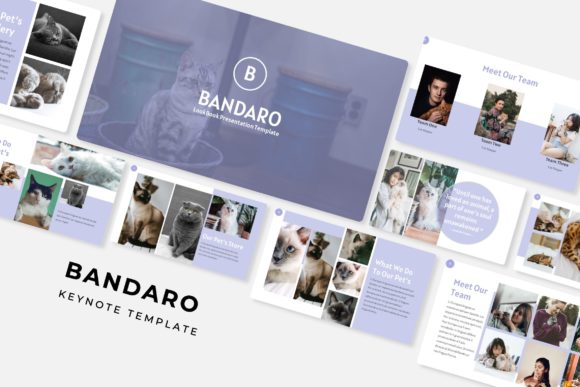
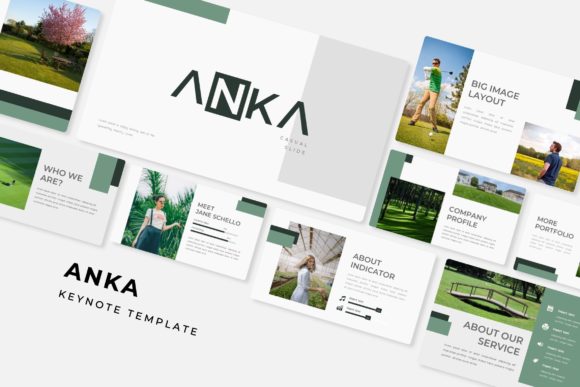
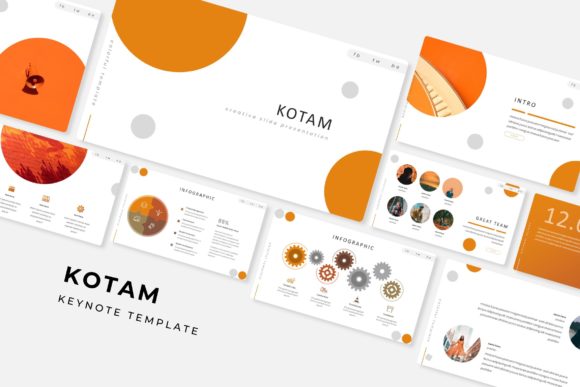
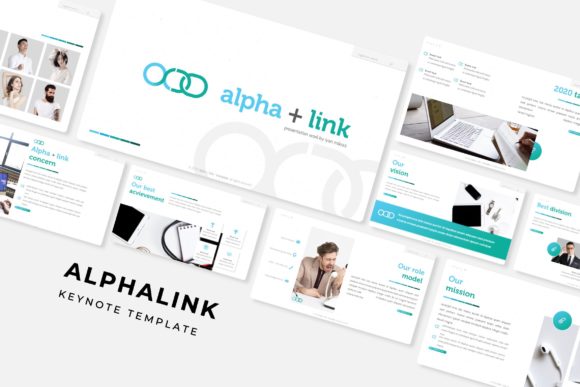
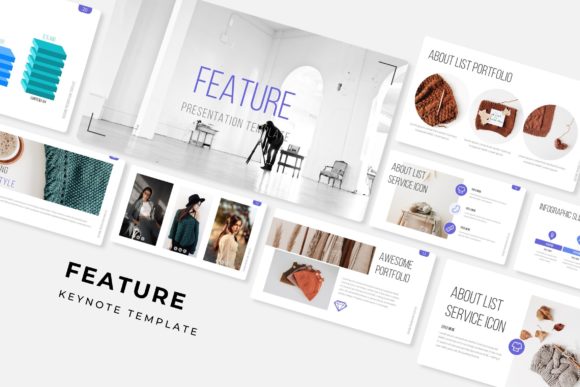
Third, the preview images you see in the product listing are for illustration purposes only. The photographs and pictures shown are not included in the download. This is standard practice for template sales, but it is worth remembering that you will need to supply your own images. The picture placeholders are ready to accept your photos, so you can achieve a similar look with your own visual content.
Finally, consider the scope of your project. With 150 slides across five color variations, you have a generous library to work with. For a short presentation, you might only use a fraction of the available slides. That is perfectly fine. The template gives you options, but you are not forced to use every slide. Pick the ones that serve your narrative and delete the rest. The structure is flexible enough to accommodate both concise and comprehensive presentations.
Why a Structured Template Matters for Your Message
A well-designed presentation does more than look good. It guides the audience’s attention, reinforces your key points, and reduces cognitive load. When every slide has a consistent layout and harmonious colors, viewers can focus on the content rather than being distracted by jarring transitions or mismatched graphics. The Feature Keynote Template provides that visual coherence automatically.
For professionals who frequently present to clients, stakeholders, or the public, the template acts as a foundation that builds credibility. A polished deck signals that you value quality and attention to detail. It also saves you from the last-minute scramble of aligning text boxes or resizing images. Everything is already aligned, proportioned, and styled.
Entrepreneurs and small business owners often juggle multiple roles and cannot afford to spend hours on slide design. This template streamlines the process, allowing you to produce a professional-looking presentation in a fraction of the time. You can pull together a proposal, a pitch deck, or a training module quickly, then get back to running your business.
Getting Started with Your First Presentation
If you are new to using presentation templates, the process is straightforward. Start by opening one of the PPTX files and reviewing the slide layouts. Familiarize yourself with the master slides and the placeholders. Replace the placeholder text with your own content, and drag your images into the picture holders. Experiment with the different color variations to see which one resonates best with your message. The Readme file guides you through font installation and basic editing tips, so you are never left guessing.
As you work, remember that the template is a tool, not a cage. Feel free to mix slides from different color variations if you want a custom palette. You can also move slides between files, duplicate layouts, or create entirely new slides based on the existing masters. The design system is robust enough to support your creativity while maintaining a consistent visual language.
The pixel-perfect illustrations and infographics are particularly forgiving. Because they are vector-based, you can scale them up or down without losing quality. This is useful if you need to print slides or display them on a large screen. The resizable graphics adapt without becoming blurry or pixelated, which is a common pain point with low-resolution clip art.
For teams collaborating on a presentation, the template simplifies handoffs. Each person can work on a different section without worrying about formatting conflicts. The master slides ensure that everyone’s slides look consistent, even if they are edited independently. This is a practical advantage for agencies, departments, or study groups where multiple people contribute to the same deck.
Final Thoughts on Choosing a Presentation Template
The Feature Keynote Template is a comprehensive solution for anyone who wants to create presentations that look professional, stay consistent, and communicate effectively. With 150 slides across five color variations, handcrafted infographics, section breaks, gallery and portfolio layouts, and pixel-perfect illustrations, it covers a wide range of presentation needs. The drag-and-drop picture placeholders, resizable graphics, and master slide architecture make it accessible even if you have limited design experience.
Before you commit, consider the scope of your work and your comfort level with presentation software. If you value visual consistency and want to save time without sacrificing quality, this template is well worth exploring. The included Readme file and free font download links smooth the onboarding process, and the five premade colors give you the flexibility to match your brand or mood. Just remember that photos shown in the preview are for illustration only, so you will need your own images to complete the look.
At the end of the day, a good template is not about making slides look fancy. It is about removing friction so you can focus on what matters: your ideas, your story, and the people you are presenting to. The Feature Keynote Template does that by providing a reliable, flexible, and visually appealing foundation that works across personal, professional, and educational contexts.