Saturday Night Party Social Media Post: Why Most Templates Fall Short and How to Fix Them
You have a party to promote. Maybe it is a New Year celebration, a birthday gathering, a club event, or a simple get-together with friends. You want a Saturday Night Party social media post that stops the scroll, gets people excited, and actually drives attendance. So you search online, find a flashy flyer template, download it, drop in your details, and post it. A few hours later, the engagement is flat. Few people click, fewer RSVP, and the energy you hoped for just does not materialize. What went wrong?
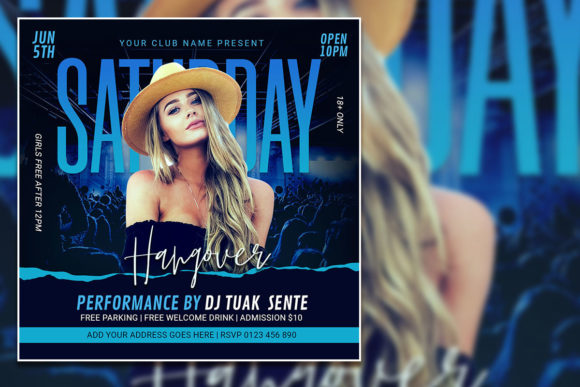
The truth is that a Saturday Night Party social media post is only as effective as the decisions you make before you hit publish. The template itself is a starting point, not a finished product. Many people treat editable PSD flyers as a shortcut to a professional result, but they skip the steps that actually make the design work. The result is a post that looks generic, reads poorly, and fails to connect with the audience. Let us walk through the most common mistakes so you can avoid them and get real results from your next party flyer.
Mistake One: Treating the Template as a Final Design
When you download a fully editable party flyer template, it is tempting to think the hard work is done. You open the PSD, see the layers, and assume the designer already made all the right choices. That is a misunderstanding. A template is a layout with placeholders. The fonts, colors, spacing, and imagery are suggestions, not rules. If you leave every element as-is, your Saturday Night Party social media post will look like everyone else who bought the same file.
Think about your audience. They see dozens of event posts every day. A generic template does not stand out. It blends in. Instead, use the template as a framework. Adjust the color palette to match your brand or event theme. Change the font to something that fits the mood. Replace the placeholder photo with an actual image from a previous party or a high-quality stock shot that reflects the energy you want. The goal is to make the design feel specific to your event, not borrowed from a catalogue.
Mistake Two: Ignoring Readability on Mobile Screens
A Saturday Night Party social media post will be viewed mostly on phones. The flyer template you download might look stunning on a 2000 x 2000 pixel canvas in Photoshop, but on a small screen, fine print becomes invisible. I have seen countless party flyers where the date, time, and location are in a thin, light font that is impossible to read without zooming in. That is a direct barrier to action.
When you edit the template, test readability at actual mobile size. Zoom out to match how the post appears on Instagram or Facebook. If you cannot instantly read the key details, make them bigger, bolder, or both. Use high-contrast combinations: white text on a dark background, or black text on a light background. Avoid placing text over busy parts of the image. If the template has a photo background, consider adding a semi-transparent overlay behind the text to ensure clarity. A post that requires effort to understand will be ignored.
Mistake Three: Choosing the Wrong Font and Not Checking Licensing
Templates often use specific fonts that may not be installed on your computer. When you open the PSD, Photoshop might substitute a default font, and the whole layout shifts. This is one of the most overlooked details. The result is text that looks awkward, spacing that is off, and a final post that feels unprofessional.
Before you start editing, check which fonts the template uses. Download them if they are free. If they are commercial fonts, ensure you have the right license. Many designers include a readme file with font links. Do not skip this step. Using a font without proper licensing can create legal issues later, especially if you are promoting a paid event or business. If you need to change the font, the template description says you can select the text layer and replace it. That works, but do not just pick any font. Choose one that matches the tone: bold and rounded for a fun party, elegant serif for a formal celebration, or clean sans-serif for a modern nightclub vibe. Your choice of typeface affects how people perceive the event before they read a single word.
Mistake Four: Overloading the Flyer with Information
A common instinct is to put every detail on the flyer: the full address, a map link, dress code, age restrictions, ticket prices, a QR code, multiple social media handles, sponsor logos, and a lengthy description. The result is visual noise. The Saturday Night Party social media post becomes a cluttered mess where nothing stands out.
Your flyer has one job: to make people want to learn more. It does not need to answer every question. Include the event name, date, time, location, and one clear call to action. That is enough. Additional details can go in the caption or the link in your bio. A clean, minimal design with a single focal point will get more attention than a crowded layout. If you feel the need to add more information, ask yourself whether it helps someone decide to attend. If the answer is no, remove it.
Mistake Five: Using Low-Resolution or Poorly Chosen Images
The template says you can replace the photo with your own for a more customized look. That is excellent advice, but only if you do it right. Many people grab an image from a search engine or a free stock site without checking the resolution. When you place a low-res photo into a 2000 x 2000 pixel canvas at 300 dpi, it will look blurry or pixelated. That immediately lowers the perceived quality of your event.
Use images that are at least 2000 pixels on the longest side. If you are using a photo of people, make sure it matches the mood you want to convey. A picture of a quiet dinner crowd will not work for a high-energy night party. Also, be careful with faces. If you use a photo of a recognizable person without permission, you could face privacy or licensing issues. When in doubt, use abstract backgrounds, neon textures, or geometric patterns that evoke nightlife without specific individuals. The template layers make it easy to swap images, so take the time to find the right one.
Mistake Six: Forgetting About Platform Specifications
A Saturday Night Party social media post is not a one-size-fits-all asset. The template is square at 2000 x 2000 pixels, which works well for Instagram feed posts. But what if you want to use the same design for a Facebook cover, an Instagram story, or a Twitter banner? Cropping a square image into a vertical story format often cuts off important text or leaves awkward empty space.
Plan ahead. Edit the PSD file to create multiple versions if needed. Save a version for feed posts, a vertical version for stories, and a wider version for Facebook. The organized layers in the PSD make this easier because you can reposition elements without starting from scratch. If you only post the square version everywhere, you lose the opportunity to optimize for each platform. Small adjustments in layout can significantly improve how your post appears in different contexts.
Mistake Seven: Neglecting the Call to Action and Link Strategy
Even a perfectly designed Saturday Night Party social media post will fail if people do not know what to do next. A common error is to put the date and time but not tell the viewer how to get tickets, RSVP, or get for more information. The flyer might look great, but it lacks direction.
Add a clear call to action directly on the design. Phrases like "Get Tickets Now," "RSVP Today," or "Link in Bio" work well. If you use "Link in Bio," make sure the link in your social media bio is updated and working. Double-check it every time you post. A broken link or a link that goes to a generic page will kill the momentum. You spent time on the design, so spend a minute on the link.
What to Check Before You Publish
Before you finalize your Saturday Night Party social media post, run through a quick checklist. First, view the design at actual mobile size and confirm all text is readable. Second, check that the date and time are correct. It sounds obvious, but errors happen. Third, verify that the image resolution is sharp and that there are no compression artifacts. Fourth, test the font rendering. If you used a custom font, export a preview and open it on your phone to see if it looks as intended. Fifth, ensure the file is saved in the right format. For social media, PNG is usually better than JPEG because it preserves transparency and sharp edges. Sixth, confirm that your call to action is visible and clear.
If you are promoting a paid event, also check that the pricing information is accurate and that the ticket link is correct. Small mistakes in these details can lead to confusion and lost sales.
Why a Well-Edited Template Beats a Custom Design from Scratch
Despite all these warnings, using a fully editable PSD template is still a smart move for most people. A professionally designed template gives you a solid foundation. The layers are organized, the resolution is high, and the layout has been tested. The mistake is not using a template. The mistake is using it without thoughtful customization.
When you take the time to adjust colors, swap images, refine typography, and optimize for mobile, you get a result that looks custom-made. That is the advantage. A Saturday Night Party social media post that feels personal and intentional will outperform a generic one every time. The template saves you hours of design work. Your job is to make it yours.
Practical Advice for Beginners and Professionals Alike
If you are new to editing PSD files, start simple. Open the file in Adobe Photoshop and find the Layers panel. Turn off visibility for layers you do not need. Click the text layers and use the Text tool to type your own copy. For the photo layer, right-click and select "Replace Contents" or simply drag your image in and position it. Do not be afraid to experiment. The file is editable, so you can always undo.
If you are a professional, push the template further. Use layer masks to blend images, add gradient overlays to change the mood, or adjust the brightness and contrast to match your brand palette. The organized layer structure makes it easy to work efficiently. You can create multiple variations in minutes, which is useful if you are running a series of events.
Final Thoughts on Getting It Right
A Saturday Night Party social media post is a powerful tool when done well. It can create excitement, build anticipation, and fill your event. But the template alone is not enough. The difference between a post that works and one that gets ignored comes down to the choices you make during editing. Avoid the common mistakes of leaving things generic, ignoring mobile readability, using poor images, and forgetting the call to action. Each adjustment you make moves the design from average to effective.
Take the time to customize your flyer. Check the details. Test the readability. And always keep your audience in mind. They are looking for a reason to attend your event. Give them one that is clear, attractive, and easy to act on. The template is your starting point. What you do with it determines the outcome.